Page 78 FTDX1200 Operating Manual

CW MODE OPERATION Cont'd

Previous Page    Index of Topics    Table of Contents    Index of Pages    Next Page

USING THE BUILT-IN ELECTRONIC KEYER

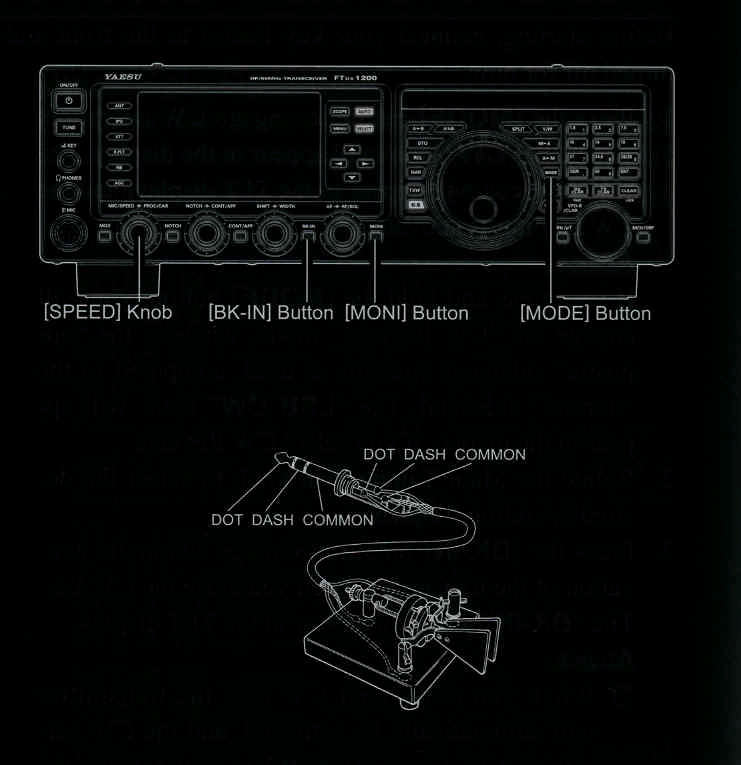
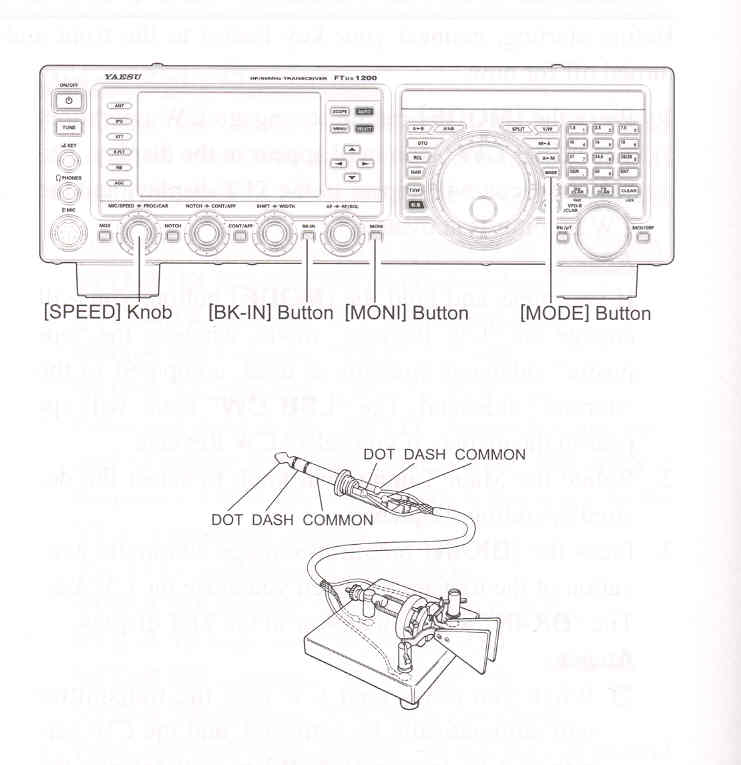
Connect the cable from your keyer paddle to the front or rear paenl KEY jack.

    1. Press the [MODE] button to engage CW operation. The "USB CW" icon will appear in the display. The "MONI" icon will appear in the TFT display; and the CW monitor is activated.

ADVICE:
If you press the "CW" mode, you will engage the "CW Reverse" mode, whereby the "opposite" sideband injection is used, compared to the "normal" sideband. The LSB CW icon will appear in the display if you select CW Reverse.
    2. Rotate the Main Tuning Dial knob to select the desired operating frequency.

    3. Press the [▲ / ▼ / ◄ / ►] button to select the "KEYER", then press the [SELECT] button to select "ON". The "KEYER" will appear in the display, confirming that the built-in Elecrtonic Keyer is now active.

    4. Rotate the [MIC/SPEED] knob to set the desired sending speed (4 ~ 60 WPM). Clockwise rotation of the [MIC/SPEED] knob will increase the keying speed.

ADVICE:

The display will show the keying speed for 3 seconds whenever the [MIC/SPEED] knob is turned.

When you press either the "Dot" or "Dash" side of your paddle, the CW keying tone will automatically be generated.

    5. Press the [BK-IN] button to engage automatic activation of the transmitter when you press either the "Dot" or "Dash" side of your paddle. The "BK-IN" icon will appear in the TFT display.

    6. CW operation utilizing your paddle may now commence.

ADVICE:
When you utilize your keyer paddle, the transmitter will automatically be activated, and the CW characters (or a string of dots and dashes) will be transmitted. When you release the keyer paddle contacts, transmission will cease, and reception will be restored after a brief delay. The delay time is user programmable, per the discussion on page 83.


ADVICE:

You may adjust the CW sidetone audio level setting of Menu item "036 MONITOR LEVEL".

To adjust the Moni Level:

    1) Activate the MONI circuitry, if necessary.

    2) Press and hold in the [MONI] button for one second to enter the Menu item "036 MONITOR LEVEL".

    3) Press the [SELECT] button.

    4) While keying, rotate the [VFO-B/CLAR] knob (or press the ▲ / ▼ button) to adjust the monitor level.

    5) When you are satisified with the setting, press the [SELECT] button, then press the [MENU] button to save the new setting and exit to normal operation.

If you set the [BK-IN] button to Off, you may practice sending CW with the sidetone only, without having the signal go out over the air.

If you reduce power via the Menu item "177 MAX TX POWER", the ALC meter reading will increase; this is normal and does not indicate any problem whatsoever (because increased ALC voltage is being used to lower the power).


Cont'd Next Page "Using the Built-In Electronic Keyer"

Cont'd Next Page "CW Mode Operation"

Previous Page    Index of Topics    Table of Contents    Back to Top    Index of Pages    Next Page

Page 78 FTDX1200 Operating Manual